Cloudflare R2
Use an R2 bucket as your company’s configured evidence destination. Your company manages the storage account and its lifecycle.
Capture in Field Bundle. Upload directly to the destination your company controls. Choose a hosted provider or your own S3-compatible infrastructure.
Evidence uploads directly to the selected customer-controlled storage. Field Bundle does not need to act as a permanent media repository between the phone and your evidence archive.
With storage connected, portal users can browse Work Order folders and download them as ZIP files. Storage access and operational records are distinct from storing customer media.
Use an R2 bucket as your company’s configured evidence destination. Your company manages the storage account and its lifecycle.
Connect a Spaces destination for direct evidence uploads and portal storage workflows.
Use an S3-compatible endpoint on infrastructure you control, provided it supports the required operations over valid HTTPS.
SeaweedFS, MinIO, Ceph, NAS-backed S3, or equivalent software may be usable when the endpoint exposes the required S3-compatible operations over valid HTTPS.
Compatibility depends on the endpoint, permissions, and configuration. Validate upload, listing, download, and applicable signed-access behavior with a real test package before rollout.
Discuss your endpoint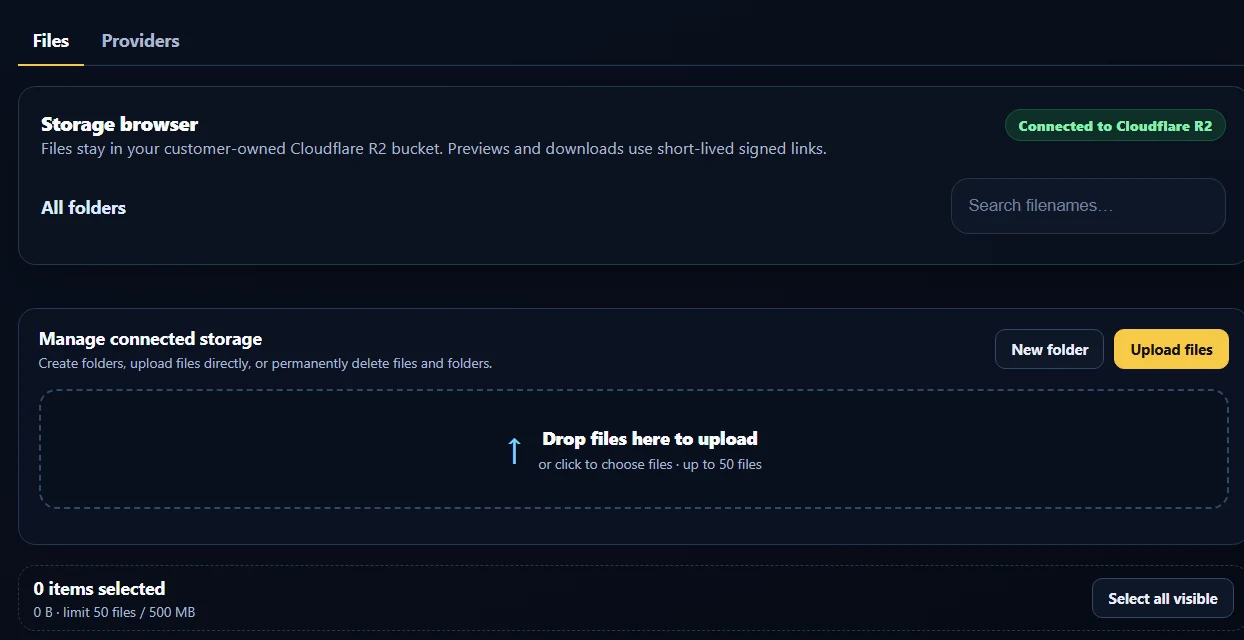
Your chosen provider or infrastructure holds the evidence files. Choose its region, retention, and access configuration.
File fingerprints and signed package records let recipients check integrity separately from where the package is stored.
Accounts, device activation, Work Orders, and operational metadata are separate from the evidence media. Customer-owned storage does not remove those records.
When the phone regains connectivity, it continues uploading the files to the configured destination.
If an upload cannot complete, use Android’s native share menu to share the evidence package as a ZIP. Photos stay out of the technician’s personal gallery.
Browse folders of Work Orders in connected storage and download ZIP packages. Enable email notifications when Work Orders are uploaded.
Tell us which provider or S3-compatible endpoint you use, and how many phones you plan to deploy.